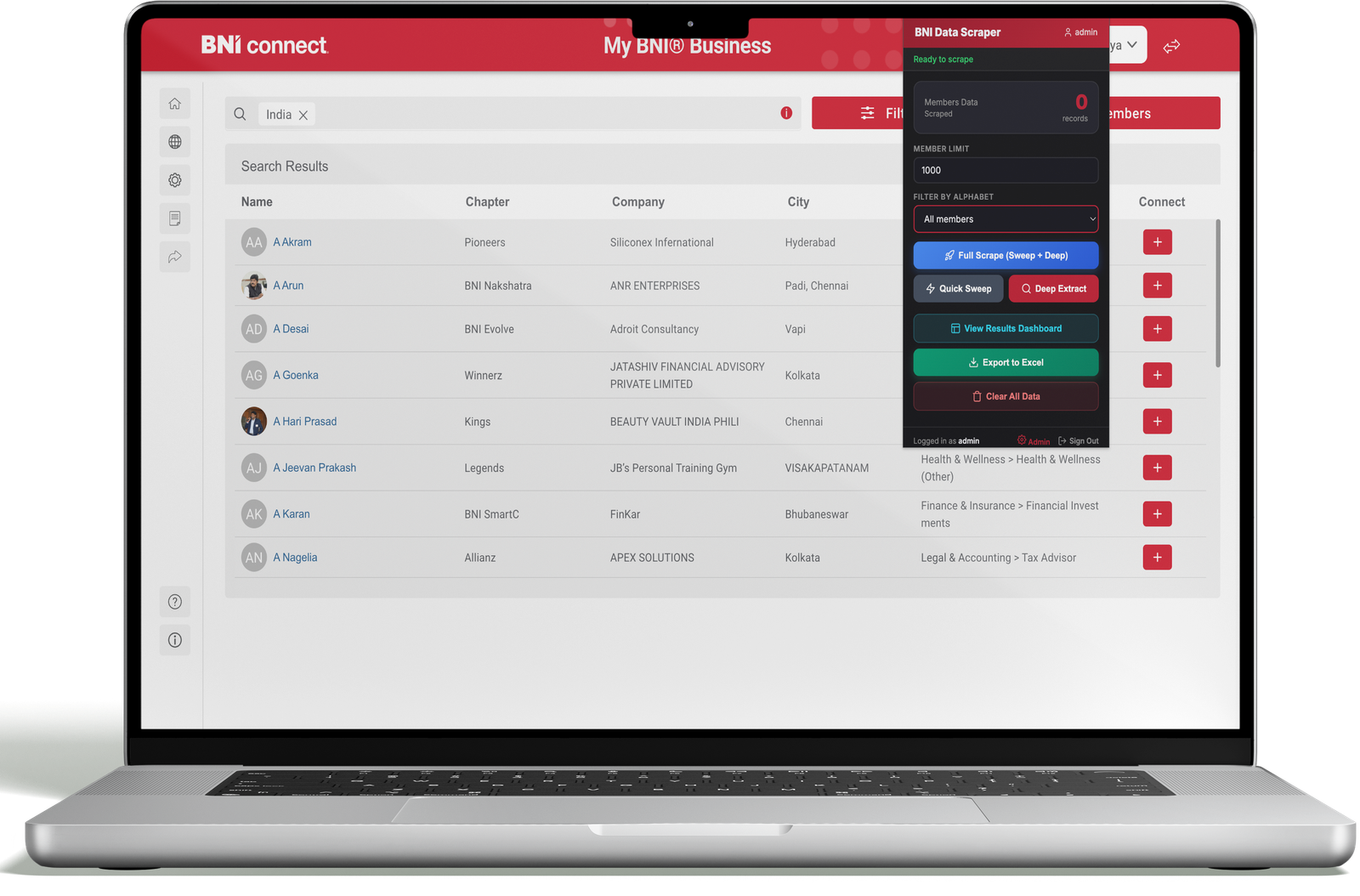
Stop Copy-Pasting. Start Networking.
Extract member and meeting data from BNI Connect® and export it instantly to Excel. BNI Connect Data Scraper is a specialized Chrome extension designed for BNI members, Chapter Leaders, and Power-Team members to automate data extraction from the BNI Connect portal.
BNI members often spend hours manually copying member details, visitor lists, and meeting data from BNI Connect. Our tool automates the entire process.
Manually copying member details from BNI Connect profiles eats into valuable networking time.
Manual copy-paste introduces typos and missing fields that damage your follow-up efforts.
BNI Connect doesn't export data natively — leaving members to piece together spreadsheets manually.
One click extracts and structures all the data you need, exported directly to Excel — in seconds.
Everything you need to streamline your BNI workflow and supercharge your networking.
Instantly capture member profiles, visitor lists, and meeting data with a single click inside your browser.
Automatically converts messy portal data into structured Excel-ready lists with proper columns and formatting.
Eliminate repetitive copy-paste tasks and save hours of manual work every single week.
A lightweight extension that works directly inside your browser — no installations or complex setups needed.
Export contact lists to Excel and easily use them for follow-ups, CRM imports, or marketing campaigns.
All processing happens locally in your browser. We never store or transmit your BNI credentials.
Get up and running in minutes. No technical knowledge required.
Open the BNI Connect Portal and sign in to your member account as usual.
Find the members, visitors, or meeting data you want to extract using BNI Connect's search.
Click the BNI Connect Data Scraper extension icon — it instantly scrapes and structures the data.
Export the data to Excel and start using it for networking, follow-ups, or marketing. Done!
Get the extension running in under 2 minutes. It's incredibly easy.
Click the "Download Chrome Extension" button on this page to get the latest .zip package.
Go to chrome://extensions, enable Developer Mode, click "Load unpacked", and select the
downloaded folder.
Navigate to bniconnect.com and log in to your BNI member account.
Click the BNI Connect Data Scraper icon in your Chrome toolbar and begin extracting member data instantly.
Choose the plan that best fits your needs. No hidden fees, cancel anytime.
Perfect for trying out BNI Connect Data Scraper and small-scale use.
For serious BNI networkers, chapter leaders, and power teams.
Pay once. Use forever. The best investment for dedicated BNI chapter leaders.
Secure payment powered by Razorpay
Real feedback from real BNI members who have transformed their workflows.
"Saved me hours every week. I can now export the full member directory instantly. This is an absolute game-changer for chapter management."
"This tool made chapter reporting incredibly easy. What used to take me 2 hours now takes 5 minutes. Highly recommended for any Power Team Leader."
"The Excel export is perfectly structured. I import it straight into my CRM and my follow-up process has never been smoother. Worth every rupee."
"I was skeptical at first, but after trying the free plan I immediately upgraded to Pro. The data quality and speed are incredible. My whole chapter is using it now."
We take your privacy seriously. Here's our commitment to keeping your data secure.
All data extraction happens exclusively on your computer. Data is never sent to any external server.
We never track, store, or share your BNI credentials. Your login stays completely between you and BNI Connect.
The extension only requests the minimum permissions required to access the BNI Connect portal — nothing more.
This tool is an independent productivity extension and is not affiliated with, endorsed by, or
officially connected to BNI Global, LLC.
BNI® and BNI Connect® are registered trademarks of BNI Global, LLC.
Users are responsible for complying with BNI's Terms of Use when using this extension. Please use this tool
responsibly and in accordance with applicable BNI policies and data regulation requirements.